The HP ENVY 6155e is designed for home users who need reliable printing, scanning, copying, and mobile fax capabilities in a compact form. With a 100-sheet input tray and a 25-sheet output tray, along with automatic duplex printing for convenient double-sided documents. It supports various media sizes and types, including photo paper, brochures, envelopes, and borderless prints up to 8.5 × 12 inches, making it flexible for both creative and professional needs. Built with HP Thermal Inkjet technology, it delivers sharp black text at up to 1200 × 1200 dpi and vibrant color prints at up to 4800 × 1200 optimized dpi when using supported photo papers. The flatbed scanner offers up to 1200 dpi optical resolution, producing clear digital copies in formats such as PDF, JPG, PNG, TIF, and HEIF. It also includes practical features like scan-to-email, scan-to-cloud, and scan-to-PC. Copying is simple, with up to 99 copies and basic resizing options via the HP app. For faxing, the printer supports mobile fax (send-only), adding extra convenience for occasional document transmission. The HP ENVY 6155e uses a simple two-cartridge system (black and tri-color), and it is eligible for HP Instant Ink, helping users manage ink costs efficiently. With a recommended monthly volume of 100 to 400 pages and a duty cycle of up to 1000 pages, it performs best in light to moderate workloads. It has a 2.4-inch color capacitive touchscreen that allows intuitive control directly from the printer. Powered by an 800 MHz processor and 256 MB of memory, it ensures smooth operation for daily tasks. Connectivity is modern and flexible, featuring dual-band Wi-Fi (802.11a/b/g/n/ac) and a Hi-Speed USB 2.0 port. It supports a wide range of mobile printing solutions, including the HP app, Apple AirPrint, Mopria, and Android printing plugins, allowing users to print easily from smartphones, tablets, or laptops across Windows, macOS, Chrome OS, and Linux systems.
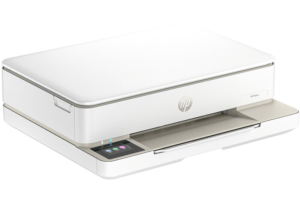
HP ENVY 6155e Driver for Windows and macOS
Refer to the operating system’s compatibility and ensure the HP ENVY 6155e printer is compatible with your PC or Mac to avoid an error when installing the driver or using the printer.
Download HP ENVY 6155e Drivers and Software Compatibility
Windows Driver:
- Windows Compatibility: Windows 8.1, Windows 10, and Windows 11
HP ENVY 6155e Easy Start Printer Setup Software and Driver Download
Filename: HPEasyStart-16.5.6-EN6100_61_0_1959_1_Webpack.exe
Version: V61.0.1959
Size: 324.5 MB
HP ENVY 6155e Universal Scan Driver Download
Filename: Full_Webpack-63.6.6364-SJ0001_Full_Webpack.exe
Version: V63.6.6364
Size: 439.6 MB
macOS Driver:
- macOS Compatibility: macOS 26, macOS 15, macOS 14, macOS 13, macOS 12, macOS 11
HP Print and Support for Mac: Install from App Store
The HP ENVY 6155e printer is AirPrint-supported.
Download Also: HP ENVY 6155e Manual to guide you how to install the printer
All HP ENVY 6155e Drivers are copyrighted to Hewlett-Packard; the customer agrees to the applicable license or other agreement from HP.