The HP OfficeJet Pro 8139 is a versatile all-in-one inkjet printer designed for home offices and small businesses that need reliable printing, copying, scanning, and faxing capabilities. It uses HP Thermal Inkjet technology with an HP PCL3 GUI print language and a 1.2 GHz processor, while its 2.7-inch capacitive touchscreen provides convenient control of printer functions. The printer supports automatic duplex printing and borderless printing for compatible photo and brochure media, making it suitable for both everyday documents and professional-looking marketing materials.
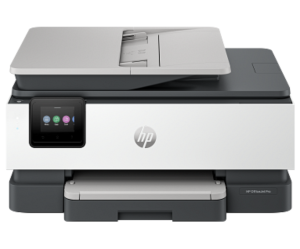
It features a 225-sheet input tray, a 35-sheet automatic document feeder (ADF), and a 60-sheet output tray. It can handle a variety of media, including plain paper, HP photo paper, matte and glossy brochure paper, presentation paper, recycled paper, and other inkjet-compatible media. It supports up to 10 envelopes and can produce borderless prints up to 8.5 x 11 inches on US Letter or 210 x 297 mm on A4 for supported photo and brochure paper. The printer delivers black print quality up to 1,200 x 1,200 rendered dpi and color output up to 4,800 x 1,200 optimized dpi when using HP Advanced Photo Paper with 1,200 x 1,200 dpi input. It supports a recommended monthly print volume of up to 800 pages.
Wireless connectivity is provided through built-in dual-band Wi-Fi 802.11a/b/g/n/ac with HP’s self-healing Wi-Fi feature, while wired connectivity includes Ethernet and Hi-Speed USB 2.0. Mobile printing is supported through Apple AirPrint, Wi-Fi Direct, Mopria Certified printing, and Chrome OS. The HP OfficeJet Pro 8139 is compatible with Windows 10 and 11, macOS 11 through 14, Chrome OS, Linux, and selected Windows Server editions, with 256 MB of standard memory and up to 512 MB of DDR3 SDRAM.
HP OfficeJet Pro 8139 Instructions Manual
The manual below includes a User Guide to teach the user how to use the printer, and a Setup and Reference Guide to prepare the installation and assemble the printer.
Download the HP OfficeJet Pro 8139 User Guide, Setup and Reference
HP OfficeJet Pro 8139 User Manual
Filename: pdf_7650053_en-US-1.pdf
Size: 3.51 MB
Description: This guide provides configuration, using the printer, warranty, safety and environmental information.
HP OfficeJet Pro 8139 Setup and Reference Guide
Filename: pdf_13543720_en-US-1.pdf
Size: 0.55 MB
Description: Describe the printer’s function and hardware, then set up the printer.
All HP OfficeJet Pro 8139 Manuals are copyrighted by Hewlett-Packard, user agrees to the agreement from HP.