The HP ENVY 6555e is a colour inkjet multifunction printer suitable for home or small-office use. This printer features a 2.4″ color touchscreen display for easy navigation. In terms of paper handling, this printer has a standard input tray of up to 100 sheets and an output tray of up to 25 sheets. Supported paper sizes include A4, A5, B5, A6, C6, envelopes, and photo paper up to 10 x 15 cm. Automatic duplex printing enables efficient two-sided printing, including photos. This printer offers print, copy, and scan functions, and supports HP+ and HP Instant Ink services. It uses HP Thermal Inkjet technology, with print speeds of up to 10 ppm (ISO) for black and up to 7 ppm (ISO) for color. In draft mode, print speeds can reach 20 ppm (black) and 17 ppm (color). This printer can print the first page in black in approximately 19 seconds and in color in 22 seconds, with a print resolution of up to 1200 × 1200 dpi (black) and 4800 × 1200 dpi (color) for sharp, detailed photos or images. For scanning, this device uses CIS technology with an optical resolution of up to 1200 dpi. It can scan directly to the device or to the cloud in JPG, PDF, PNG, TIFF, and HEIF formats via the HP app. It also features a 35-sheet Automatic Document Feeder (ADF) for scanning or copying multiple documents. The copy feature can produce up to 99 copies at a resolution of up to 300 × 300 dpi. It has 256 MB of DDR3 internal memory and an 800 MHz processor, and is recommended for a monthly print volume of approximately 100–400 pages, with a maximum duty cycle of up to 1,000 pages. HP ENVY 6555e supports USB 2.0 connectivity and dual-band Wi-Fi (802.11a/b/g/n/ac) as well as compatibility with the HP Smart App, Apple AirPrint, Mopria, and printing from other mobile devices.
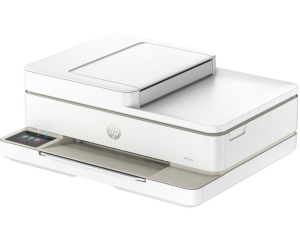
HP ENVY 6555e Driver for Windows and macOS
Refer to the operating system’s compatibility and ensure the HP ENVY 6555e printer is compatible with your PC or Mac to avoid an error when installing the driver or using the printer.
Download HP ENVY 6555e Drivers and Software Compatibility
Windows Driver:
- Windows Compatibility: Windows 8.1, Windows 10, and Windows 11
HP ENVY 6555e Easy Start Printer Setup Software and Driver Download
Filename: HPEasyStart-16.5.6-EN6500_61_0_1959_1_Webpack.exe
Version: V61.0.1959
Size: 324.5 MB
HP ENVY 6555e Universal Scan Driver Download
Filename: Full_Webpack-63.6.6364-SJ0001_Full_Webpack.exe
Version: V63.6.6364
Size: 439.6 MB
macOS Driver:
- macOS Compatibility: macOS 26, macOS 15, macOS 14, macOS 13, macOS 12, macOS 11
HP Print and Support for Mac: Install from App Store
The HP ENVY 6555e printer is AirPrint-supported.
Download Also: HP ENVY 6555e Manual to guide you how to install the printer
All HP ENVY 6555e Drivers are copyrighted to Hewlett-Packard; the customer agrees to the applicable license or other agreement from HP.