The HP DeskJet 2920 is a compact all-in-one printer aimed primarily at home users who need straightforward printing, scanning, and copying rather than high-volume performance. Having these functions in one relatively small machine makes it practical for students, families, and home users. The main limitation is that it is better suited to light printing rather than demanding workloads. Its relatively slow output and basic paper handling make it less attractive for users who regularly print large documents. One of the strongest points is the printer’s ease of installation and everyday operation. Its compact size also makes it convenient for smaller home offices or desks.
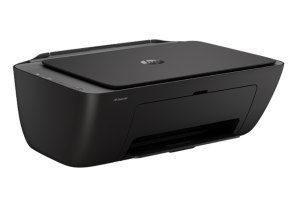
The printer is rated at up to 7.5 pages per minute in black and 5.5 pages per minute in color, and consumer feedback generally agrees that it is not designed for fast, high-volume printing. HP DeskJet 2920 has wireless capability is also frequently praised because documents can be sent from phones and tablets without requiring a wired connection. Many users say that setting it up through the HP app is straightforward, and users appreciate being able to print directly from smartphones without having to connect the printer to a computer.
HP DeskJet 2920 Instructions Manual
The manual below includes a User Guide to teach the user how to use the printer, and a Reference to prepare for the installation and assemble the printer.
Download the HP DeskJet 2920 User Guide and Reference
HP DeskJet 2920 User Guide
Filename: pdf_12161035_en-US-1.pdf
Size: 2.08 MB
Description: This guide provides configuration and how to use the printer.
HP DeskJet 2920 Reference Information
Filename: pdf_14084339_en-US-1.pdf
Size: 1.62MB
Description: Describe the printer’s function and hardware.
All HP DeskJet 2920 Manuals are copyrighted by Hewlett-Packard; the user agrees to the agreement from HP.