The HP ENVY 6532e is an all-in-one colour inkjet printer designed for home, photo, and mobile printing. The printer features an LCD and supports A4, A5, A6, Hagaki, and B5 media, including glossy photo paper. Its wireless and USB connectivity makes it convenient for everyday printing from computers and mobile devices. The printer delivers speeds of up to 10 pages per minute in black and 7 pages per minute in colour. It supports automatic two-sided printing, helping reduce paper consumption, and can produce double-sided 4 x 6-inch photos and cards. Print resolution reaches up to 1200 x 1200 dpi for colour and 720 x 1200 dpi for black-and-white, providing detailed output for documents and photos.
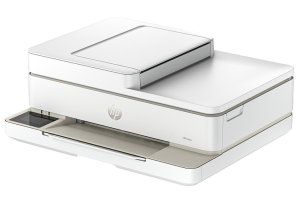
The HP ENVY 6532e also includes a sheet and automatic document feeder (ADF) scanner, making it suitable for scanning and copying multiple pages. Copy resolution reaches up to 1200 dpi in colour and 600 dpi in black and white, with black-and-white copying at up to 10 ppm. With its automatic duplex printing, ADF, Wi-Fi and USB connectivity, and photo printing capabilities, the printer is well-suited to everyday home printing and personal photo projects.
HP ENVY 6532e Instructions Manual
The manual below includes a User Guide to teach the user how to use the printer and a Setup Guide to prepare the installation and assemble the printer.
Download the HP ENVY 6532e User Guide and Setup Guide
HP ENVY 6532e User Guide
Filename: pdf_10011374_en-US-1.pdf
Size: 2.17 MB
Description: This guide provides configuration, using the printer, warranty, safety and environmental information.
HP ENVY 6532e Setup Guide
Filename: pdf_10980413_en-US-1.pdf
Size: 1.72 MB
Description: Get help to set up your printer.
All HP ENVY 6532e Manuals are copyrighted by Hewlett-Packard; the user agrees to the agreement from HP.