The HP Color LaserJet Pro M281fdw is a multifunction color laser printer designed for small offices and business users who need printing, copying, scanning, and fax capabilities in one device. The device also features a 2.7-inch color touchscreen for easy navigation and printer management. It supports multitasking and uses laser printing technology for fast document output and consistent print quality. This series delivers print speeds of up to 21–22 pages per minute for both black-and-white and color documents. The first page can print in as fast as 10.3 seconds, helping reduce waiting time during office tasks. Print quality reaches up to 600 × 600 dpi for both black and color output, producing sharp text and professional-looking graphics. The printer uses four toner cartridges: black, cyan, magenta, and yellow. The scanning system combines a flatbed scanner with a 50-sheet Automatic Document Feeder (ADF), allowing convenient handling of multi-page documents. Flatbed scans support optical resolutions up to 1200 dpi, while the ADF supports up to 300 dpi scanning. The printer can scan to email, folders, and USB storage, making document sharing more efficient. Copy speeds reach up to 21–22 copies per minute, with scaling options from 25% to 400% and support for up to 99 copies at a time. For paper handling, the printer includes a 250-sheet input tray, a 1-sheet priority tray, and a 100-sheet output tray. Automatic duplex printing is included as a standard feature, helping save paper and improve productivity. The HP Color LaserJet Pro M281fdw is built to handle moderate to heavy office workloads, with a monthly duty cycle of up to 40,000 pages and a recommended monthly volume of 150 to 2,500 pages. Connectivity features include dual-band Wi-Fi, Ethernet, USB, Wi-Fi Direct, and fax support. Mobile printing is supported through HP Smart App, Apple AirPrint, Mopria, and HP ePrint.
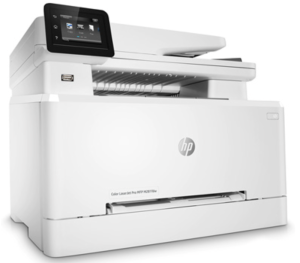
Download HP Color LaserJet Pro M281fdw Driver for Windows and macOS
Refer to the operating system’s compatibility to ensure the HP Color LaserJet Pro M281fdw printer is compatible with your PC or Mac and avoid an error when installing the driver or using the printer.
Download HP Color LaserJet Pro M281fdw Drivers and Software Compatibility
Windows Driver:
- Windows Compatibility: Windows 8/8.1, Windows 10, and Windows 11
HP Color LaserJet Pro M281fdw Full PCL6 Driver and Software Solution Download
Filename: Full_Webpack-44.11.2787-LJM278-M281_UWWL_4_1_Full_Webpack.exe
Version: V44.11.2787
Size: 212.2 MB
HP Color LaserJet Pro M281fdw Universal Scan Driver Download
Filename: Full_Webpack-63.7.6442-SJ0001_Full_Webpack.exe
Version: V63.7.6442
Size: 436.3 MB
macOS Driver:
- macOS Compatibility: macOS 26, macOS 15, macOS 14, macOS 13, macOS 12, macOS 11
HP Easy Start for Mac Download
Filename: HP_Easy_Start.app.zip
The HP Color LaserJet Pro M281fdw printer is AirPrint-supported.
Read Also: HP Color LaserJet Pro M281fdw Manual to guide you how to install and use the printer
HP Color LaserJet Pro M281fdw Drivers are copyrighted to Hewlett-Packard, the customer agrees to the applicable license or other agreement from HP.