The HP LaserJet Enterprise Flow MFP 8601z is a high-performance monochrome laser multifunction printer designed for large offices and demanding business environments. It has print speeds of up to 70 pages per minute and a first-page-out time as fast as 5.3 seconds, it helps businesses handle high-volume printing tasks efficiently. The printer supports automatic duplex printing at speeds of up to 70 images per minute and has a maximum monthly duty cycle of 250,000 pages, with a recommended monthly volume of 60,000 pages. It features four input trays, each with a capacity of 520 sheets, along with a 100-sheet multipurpose tray and a 2,250-sheet output capacity. It supports a wide range of media sizes, including formats up to 12.59 x 18 inches, making it suitable for various business printing requirements. Its advanced flatbed scanner and 300-sheet Automatic Document Feeder (ADF) support color and grayscale scanning at up to 600 dpi optical resolution. The single-pass duplex scanning feature captures both sides of a document simultaneously, delivering speeds of up to 150 images per minute for simplex scanning and 300 images per minute for duplex scanning. Additional features include multi-feed detection and support for multiple file formats, including PDF, PDF/A, JPEG, TIFF, RTF, and TXT.
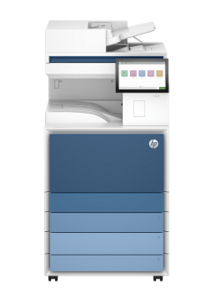
The HP LaserJet Enterprise Flow MFP 8601z also provides efficient copying and faxing capabilities, with copy speeds of up to 70 copies per minute, support for duplex copying, and reduction or enlargement options from 25% to 400%. Its fax functionality includes a transmission speed of 33.6 kb/s, memory for up to 500 pages, and speed dial storage for up to 1,000 numbers. Connectivity options include USB 2.0, USB 3.0, and Gigabit Ethernet, with wireless connectivity available via an optional Wi-Fi adapter. It also supports mobile and direct printing through Apple AirPrint, Mopria, and Wi-Fi Direct. Powered by a 1.6 GHz processor and equipped with 6 GB of RAM, this multifunction printer delivers reliable performance for demanding workflows. It is compatible with Windows 8.1 or later, macOS 12 or later, Android, and iOS devices.
HP LaserJet Enterprise Flow MFP 8601z Instructions Manual
The manual below includes a User Guide to teach the user how to use the printer, and an Installation and Repair Guide to prepare the installation, assemble, and maintain the printer.
Download the HP LaserJet Enterprise Flow MFP 8601z User Guide, Installation, and Repair Manual
HP LaserJet Enterprise Flow MFP 8601z User Guide
Filename: pdf_11525575_en-US-1.pdf
Size: 9.65 MB
Description: This guide provides configuration, using the printer, warranty, safety and environmental information.
HP LaserJet Enterprise Flow MFP 8601z Installation Guide
Filename: pdf_12245259_en-US-1.pdf
Size: 2.72MB
Description: Get help to set up your printer.
HP LaserJet Enterprise Flow MFP 8601z Repair Manual
Filename: pdf_12503313_en-US-1.pdf
Size: 104.90MB
Description: Describe the printer’s function, hardware, and maintenance.
All HP LaserJet Enterprise Flow MFP 8601z Manuals are copyrighted by Hewlett-Packard, user agrees to the agreement from HP.