The HP LaserJet M209d is a compact monochrome laser printer designed for efficient everyday printing in home offices and small workgroups. The printer is powered by a 500 MHz processor and supports PCLmS, URF, and PWG print languages. It features automatic duplex printing as standard, helping reduce paper consumption by printing on both sides of the page. The 150-sheet input tray and 100-sheet output tray provide practical paper handling for regular print jobs. The printer supports a range of media, including plain, laser, rough, vellum paper, envelopes, labels, cardstock, and postcards. It uses a single black toner cartridge and delivers print quality of up to 600 x 600 dpi for clear, sharp text and documents. HP recommends a monthly print volume of 200 to 2,000 pages for optimal performance and long-term reliability. Connectivity is provided through a Hi-Speed USB 2.0 device port, making it straightforward to connect to a computer. HP LaserJet M209d is compatible with Windows 10 and 11, macOS 12 through macOS 15, and Linux, making it a versatile monochrome printer for various computing environments.
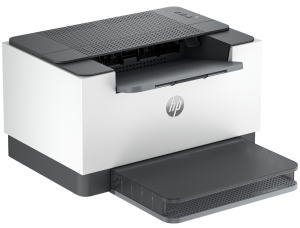
HP LaserJet M209d Instructions Manual
The manual below includes a User Guide to teach the user how to use the printer, a Reference Guide and a Setup poster to prepare the installation and assemble the printer.
Download the HP LaserJet M209d User Guide, Reference Guide and Setup
HP LaserJet M209d User Manual
Filename: c06977277.pdf
Size: 2.10 MB
Description: This guide provides configuration, printer use, warranty, safety, and environmental information.
HP LaserJet M209d Reference Guide
Filename: c07136720.pdf
Size: 1.08 MB
Description: Describe the printer’s function and hardware.
HP LaserJet M209d Setup Poster
Filename: c09073639.pdf
Size: 0.64 MB
Description: Get help to set up your printer.
All HP LaserJet M209d Manuals are copyrighted by Hewlett-Packard, user agrees to the agreement from HP.