The HP LaserJet Pro MFP 4113dw is a high-performance multifunction laser printer designed to handle demanding office printing and document workflows. Powered by a 1,200 MHz processor, it supports a wide range of print languages, including PCL, PCLXL, PostScript, PDF, PWG Raster, URF, JPEG, TIFF, Native Office, and PCLm, providing broad compatibility for different business printing environments. It features a 100-sheet multipurpose Tray 1 and a 250-sheet Tray 2, along with a 50-sheet Automatic Document Feeder (ADF) for convenient scanning and copying of multi-page documents. An optional 550-sheet input tray can be added to increase paper capacity for larger print jobs, while the standard output bin can hold up to 150 sheets. The device supports a wide variety of paper sizes, ranging from smaller media such as 3 x 5 inches and 4 x 6 inches to larger formats including Letter, Legal, A4, A5, A6, B5, Executive, and Oficio, along with several postcard and envelope formats. This printer delivers black-and-white print speeds of up to 45 pages per minute (ppm) in A4 size, with a first page out time as fast as 3.8 seconds from ready mode. For professional-looking documents, the printer offers black print resolution of up to 1,200 x 1,200 dpi, with standard 600 dpi and detailed 1,200 dpi resolution technologies. The printer supports automatic duplex printing by default, helping reduce paper consumption and making it easier to produce professional two-sided documents. Designed for reliable business use, the printer has a maximum monthly duty cycle of up to 80,000 pages, while HP recommends a monthly print volume of up to 4,000 pages for optimum performance and long-term device life. For convenient operation, the HP LaserJet Pro MFP 4113dw is equipped with a 4.3-inch intuitive color touchscreen display, providing an easy-to-use interface for accessing printer and multifunction features. It also supports mobile printing through the HP app, allowing users to manage printing tasks from compatible smartphones, tablets, and computers. The printer is compatible with Windows 10 and 11, macOS, Android, iOS, and a wide range of Linux distributions, making it suitable for mixed-device office environments.
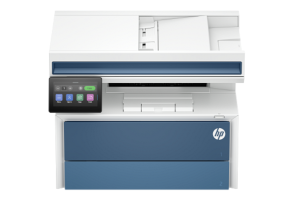
HP LaserJet Pro MFP 4113dw Instructions Manual
The manual below includes a User Guide to teach the user how to use the printer, and an Installation and Repair Guide to prepare the installation, assemble, and maintain the printer.
Download the HP LaserJet Pro MFP 4113dw User Guide, Installation, and Repair Manual
HP LaserJet Pro MFP 4113dw User Guide
Filename: pdf_10586020_en-US-1.pdf
Size: 6.82 MB
Description: This guide provides configuration, using the printer, warranty, safety and environmental information.
HP LaserJet Pro MFP 4113dw Installation Guide
Filename: pdf_14653557_en-US-1.pdf
Size: 1.37MB
Description: Get help to set up your printer.
HP LaserJet Pro MFP 4113dw Repair Manual
Filename: pdf_14846572_en-US-1.pdf
Size: 26.55MB
Description: Describe the printer’s function, hardware, and maintenance.
All HP LaserJet Pro MFP 4113dw Manuals are copyrighted by Hewlett-Packard, user agrees to the agreement from HP.