The HPE Aruba AP-303 is a compact enterprise-class indoor access point designed for medium-density environments such as offices, educational institutions, retail stores, and hospitality venues. Supporting Wi-Fi 5 (IEEE 802.11ac Wave 2) technology, it delivers reliable wireless connectivity with dual-radio operation across both the 2.4 GHz and 5 GHz frequency bands. The access point utilizes a 2×2:2 MIMO configuration and supports MU-MIMO, allowing it to communicate with multiple client devices simultaneously for improved network efficiency. The HPE Aruba AP-303 provides wireless speeds of up to 867 Mbps on the 5 GHz band and 300 Mbps on the 2.4 GHz band, offering a combined maximum throughput of approximately 1.17 Gbps. Advanced wireless technologies such as beamforming, Low-Density Parity Check (LDPC), Space-Time Block Coding (STBC), Dynamic Frequency Selection (DFS), and Adaptive Radio Management (ARM) help optimize coverage, reduce interference, and improve overall performance in busy wireless environments.
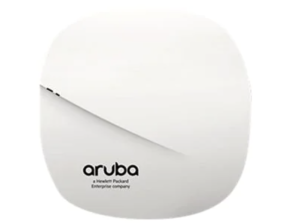
For connectivity, the access point features a single Gigabit Ethernet (10/100/1000BASE-T) port and can be powered through IEEE 802.3af Power over Ethernet (PoE) or an optional 12V DC power adapter. This access point also includes an integrated Bluetooth Low Energy (BLE) radio, enabling support for location-based services, asset tracking, and Internet of Things (IoT) applications without requiring additional hardware. It supports up to 256 connected clients per radio and can broadcast up to 16 SSIDs per radio. Security features include support for WPA, WPA2, and WPA3 wireless security standards, helping organizations protect sensitive data and maintain secure network access. The HPE Aruba AP-303 can operate in both ArubaOS controller-based environments and Aruba Instant controllerless deployments, providing flexible management options for businesses of varying sizes.
Download HPE Aruba AP-303 Manual Instructions
Refer to the specifications to ensure the HPE Aruba AP-303 is compatible with your requirements and to avoid issues during installation or use.
Download HPE Aruba AP-303 User Guide Manual
The manual below includes a Quick Setup Guide to teach the user how to use the HPE device.
The default password/credentials for HPE Aruba AP-303:
username: admin
password: admin or serial number of the device (usually in uppercase)
HPE Aruba AP-303 Installation Guide
Filename: AP-303 IG Rev01_EN.pdf
Size: 1.6MB
HPE Aruba AP-303 Startup Guide
Filename: AP-303 Startup Guide Rev04.pdf
Size: 0.2MB
Check Also: HPE Instant On AP22 Manual
All HPE Aruba AP-303 Manuals are copyrighted by Hewlett-Packard Enterprise; the user agrees to the agreement from HPE.