The HPE Instant On AP22 is a compact and high-performance Wi-Fi 6 access point designed for small businesses, home offices, retail stores, and environments with multiple connected devices. It supports the latest 802.11ax wireless standard and delivers fast, reliable wireless connectivity with dual-band operation on both 2.4 GHz and 5 GHz frequencies. Equipped with 2×2 MU-MIMO technology, this access point provides a combined wireless throughput of up to 1.774 Gbps, allowing users to enjoy smooth video conferencing, cloud access, streaming, and high-speed wireless networking. The access point incorporates advanced Wi-Fi 6 technologies such as OFDMA, 1024-QAM, and Target Wake Time (TWT) to improve network efficiency, reduce latency, and enhance performance in busy environments. The device can efficiently manage multiple simultaneous device connections, making it ideal for workplaces with smartphones, laptops, tablets, IoT devices, and wireless printers operating at the same time. The access point uses internal omnidirectional antennas with antenna gains of 4.9 dBi for the 2.4 GHz band and 5.7 dBi for the 5 GHz band.
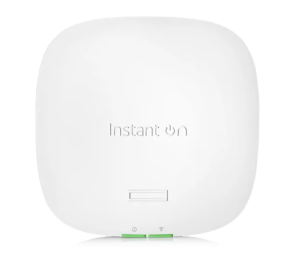
For connectivity and power, the HPE Instant On AP22 features a single Gigabit Ethernet uplink port with support for Power over Ethernet (PoE) based on the 802.3af Class 3 standard. It can also be powered using an optional 12V DC adapter. The device includes integrated Bluetooth Low Energy (BLE) functionality and supports advanced wireless security standards including WPA2 and WPA3 to help protect network traffic and user access. It supports cloud-based and mobile app management through the HPE Instant On platform, allowing administrators to easily configure, monitor, and manage the network remotely. Additional features include Smart Mesh networking, guest Wi-Fi support, bandwidth management, and application visibility controls for improved network optimization and user experience.
Download HPE Instant On AP22 Manual Instructions
Refer to the specifications to ensure the HPE Instant On AP22 is compatible with your requirements to avoid issues when installing or using the HPE device.
Download HPE Instant On AP22 User Guide Manual
The manual below includes a Quick Setup Guide to teach the user how to use the HPE device.
The default password for HPE Instant On AP22:
username: admin
password: admin or serial number of the device (check the sticker)
HPE Aruba Instant On User Guide
Filename: Aruba-Instant-On-3.0.0-User-Guide-Web-Application-Version.pdf
Size: 2.5MB
HPE Instant On AP22 Startup Guide
Filename: AP22_Startup_Guide.pdf
Size: 2.6MB
HPE Instant On AP22 Installation Guide
Filename: AP22_IG_EN.pdf
Size: 2.2MB
Check Also: HPE Synergy 480 Gen10 Manual
All HPE Instant On AP22 Manuals are copyrighted by Hewlett-Packard Enterprise; the user agrees to the agreement from HPE.