The HP LaserJet M214dw is a monochrome laser printer designed for home offices and small businesses that need fast, reliable, and high-quality black-and-white printing. The printer supports automatic duplex printing, allowing users to print on both sides of the paper and reduce paper consumption. Its input tray accommodates up to 150 sheets, while the output tray holds up to 100 sheets. It supports various media sizes, ranging from 3.5 x 5.8 inches to 8.5 x 14 inches, as well as envelopes. The printer uses an individual HP 179A toner cartridge and has a monthly duty cycle of up to 20,000 pages, with a recommended monthly volume of 2,000 pages. It delivers print speeds of up to 29 pages per minute, with a first-page-out time of just 4.8 seconds, helping users complete everyday printing tasks efficiently. With a print resolution of 600 x 600 dpi, it produces clear and sharp text for professional documents, reports, and business materials.
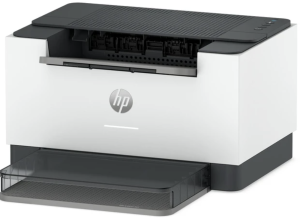
For connectivity, the HP LaserJet M214dw features Wi-Fi 4 (802.11n), USB 2.0, and an Ethernet port, providing flexible options for connecting to computers and networks. It is equipped with a 1 GHz processor and 64 MB of internal memory to handle everyday printing requirements. Compatible with Windows 10 or later, Windows Server 2019 or later, macOS 14 or later, and Linux, this printer offers a practical printing solution for users who need efficient monochrome printing with convenient wireless and wired connectivity.
HP Laserjet M214dw Instructions Manual
The manual below includes a User Guide to teach the user how to use the printer, and a Repair Manual to prepare for installation, assembly, and maintenance of the printer.
Download the HP Laserjet M214dw User Guide
HP Laserjet M214dw User Guide
Filename: pdf_14545483_en-US-1.pdf
Size: 2.57 MB
Description: This guide provides configuration, using the printer, warranty, safety and environmental information.
All HP LaserJet M214dw Manuals are copyrighted by Hewlett-Packard; the user agrees to the agreement from HP.