The HP LaserJet MFP M239sdw is a monochrome multifunction laser printer designed for home offices and small businesses that need reliable and efficient document handling. In terms of media handling and connectivity, this printer includes a 150-sheet input tray and supports various paper sizes, including media up to 8.5 x 14 inches, as well as envelopes. With print speeds of up to 29 pages per minute and a first-page-out time of just 4.8 seconds, it helps users complete printing jobs quickly. Its print resolution of 600 x 600 dpi delivers clear, sharp black-and-white text and documents. The printer also supports automatic duplex printing, allowing users to print on both sides of the paper to reduce paper consumption. For document management, this MFP features a flatbed scanner with an Automatic Document Feeder (ADF), making it convenient to scan both individual pages and multi-page documents. It offers optical scanning resolution of 600 dpi and hardware resolution of up to 1200 x 1200 dpi, with color, grayscale, and monochrome scanning modes. Scan speeds reach up to 20 pages per minute in black and white and 11 images per minute in color. Its copying function supports up to 99 copies per job, with adjustable reduction and enlargement from 25% to 400%, a black copy speed of up to 14 copies per minute, and automatic duplex copying.
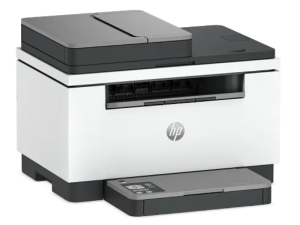
It offers flexible connection options through USB 2.0, Ethernet, Wi-Fi 4 (802.11n), and Bluetooth. Users can also print directly from compatible mobile devices using Apple AirPrint, HP Smart, and Mopria. Powered by a 1 GHz processor with 128 MB of RAM, the HP LaserJet MFP M239sdw supports Windows 10 or later, macOS 14 or later, and Linux. With a recommended monthly print volume of up to 2,000 pages and a maximum duty cycle of 20,000 pages, it provides a practical solution for everyday black-and-white printing, scanning, and copying needs.
HP LaserJet MFP M239sdw Instructions Manual
The manual below includes a User Guide to teach the user how to use the printer, and a Repair Manual to prepare for installation, assembly, and maintenance of the printer.
Download the HP Laserjet MFP M239sdw User Guide and Setup
HP Laserjet MFP M239sdw User Guide
Filename: pdf_14545453_en-US-1.pdf
Size: 3.23 MB
Description: This guide provides configuration, using the printer, warranty, safety and environmental information.
HP LaserJet MFP M239sdw Setup Guide
Filename: pdf_15340458_en-US-1.pdf
Size: 0.53 MB
Description: Get help to set up your printer.
All HP LaserJet MFP M239sdw Manuals are copyrighted by Hewlett-Packard; the user agrees to the agreement from HP.