The HP Smart Tank 5100 is a reliable all-in-one ink tank printer designed for home users and small offices that need affordable, high-volume printing. A 1.2-inch iCON LCD makes basic operations simple, while the powerful 980 MHz processor ensures smooth performance for everyday printing tasks. The printer is designed to handle everyday workloads with a recommended monthly print volume of 400 to 800 pages and a maximum monthly duty cycle of up to 3,000 pages. It includes a 100-sheet input tray and a 30-sheet output tray, while manual duplex printing helps reduce paper consumption. It combines print, scan, and copy functions in a compact design while delivering consistent performance with print speeds of up to 12 ppm in black and 5 ppm in color. The printer produces sharp black text at up to 1200 × 1200 rendered dpi and vibrant color prints with up to 4800 × 1200 optimized dpi. Borderless printing is supported for photos and creative projects up to A4 size. The flatbed scanner offers up to 1200 dpi optical resolution and can save scans in multiple formats including JPG, PDF, PNG, TIFF, and HEIF, making it suitable for digitizing documents and photos. With copy functions supporting up to 99 copies and easy resizing through the HP app. Built with convenience in mind, the HP Smart Tank 5100 features built-in 2.4 GHz Wi-Fi, Wi-Fi Direct, and Hi-Speed USB 2.0 connectivity, making it easy to print from computers, smartphones, and tablets. It supports popular mobile printing solutions including the HP app, Apple AirPrint, Mopria Print Service, and HP Print Service Plugin for Android, allowing users to print and scan from virtually anywhere. The printer is compatible with Windows 10 and 11, macOS Catalina through Sequoia, as well as Android and iOS devices for broad cross-platform support.
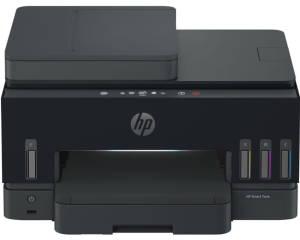
HP Smart Tank 5100 Instructions Manual
The manual below includes a User Guide to teach the user how to use the printer; it is used to prepare for the installation and assemble the printer.
Download the HP Smart Tank 5100 User Guide
HP Smart Tank 5100 User Guide
Filename: pdf_7527706_en-US-1.pdf
Size: 3.79 MB
Description: This guide provides the configuration and how to use an HP printer.
All HP Smart Tank 5100 Manuals are copyrighted by Hewlett-Packard; the user agrees to the agreement from HP.